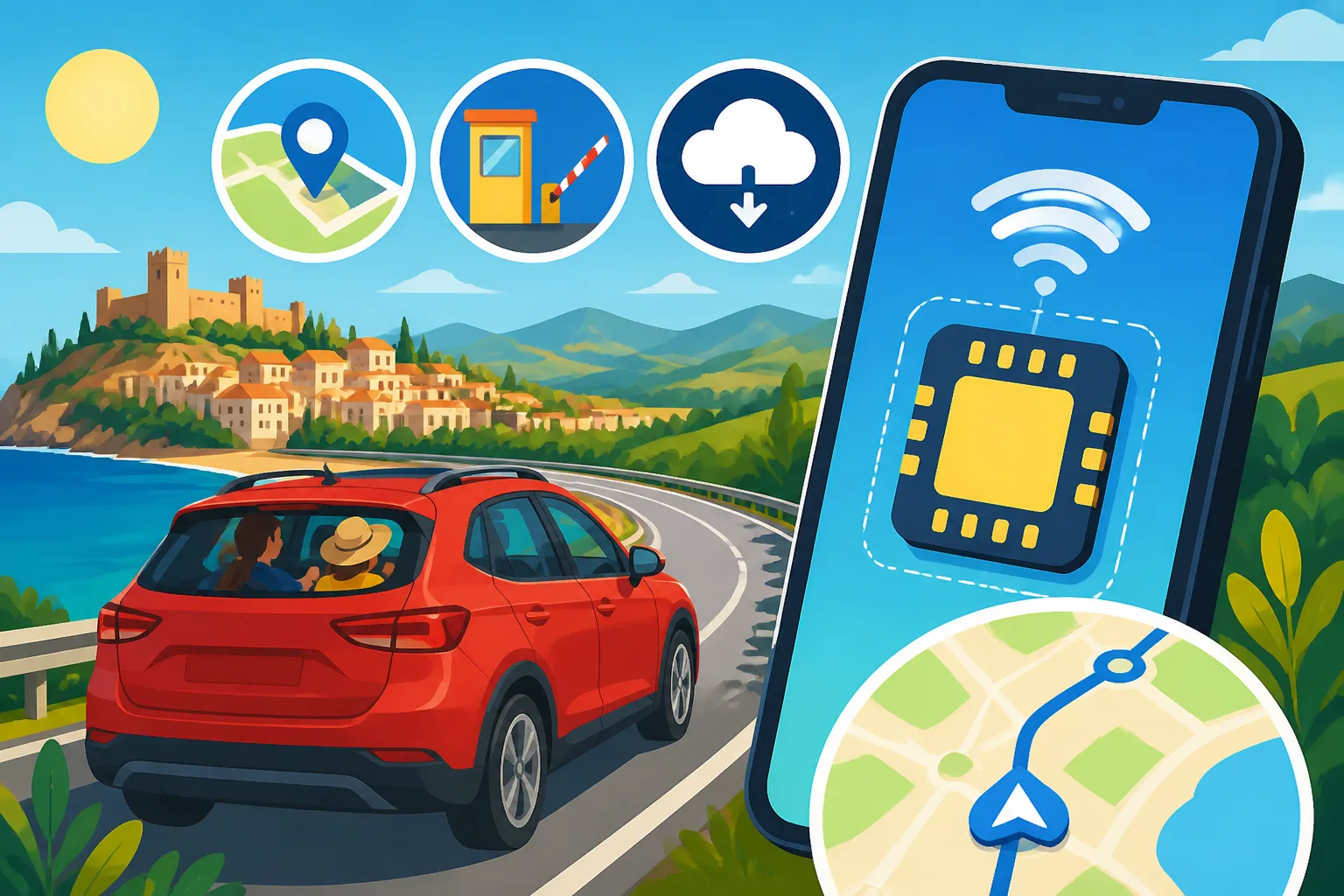
eSIM for Road Trips in Spain: Navigation, Tolls, and Offline Backup
Ah, the Spanish road trip! There’s nothing quite like the freedom of hitting the open road here, winding through ancient villages, past endless olive groves, or hugging the dramatic coastline. But let's be real, that feeling of liberation can quickly turn to dread if your phone’s data cuts out in the middle of nowhere, leaving you without GPS, unable to check a quick hotel booking, or verify that next toll road. This guide is all about making sure that doesn't happen, helping you navigate Spain’s beautiful highways and byways with reliable internet access, understand those tricky tolls, and always have an offline backup, making your travel smoother than a perfectly paved Spanish autovía.
Disclosure: This post may contain affiliate links. We may earn a commission at no extra cost to you if you make a purchase through these links. Read full disclosure.
The Road Trip Dilemma: Why Connectivity is King in Spain
You might think, "I'm on holiday, I want to disconnect!" And yes, parts of you do. But trust me, when you're driving in a foreign country, particularly one with as much varied terrain and rapidly changing infrastructure as Spain, reliable connectivity isn't just a convenience – it's a necessity. It’s the invisible co-pilot that saves you from countless headaches and keeps your adventure on track.
Navigating Spain's Diverse Landscapes
Spain is incredibly diverse, from the sweeping plains of Castilla-La Mancha to the rugged mountains of the Picos de Europa, the sun-drenched coasts of Andalusia, and the lush green valleys of Galicia. While these landscapes are breathtaking, they can also be challenging for navigation. Physical maps are quaint, but they won't tell you about a sudden road closure or a detour around a village fiesta.
Imagine yourself cruising along the C-32 south of Barcelona, heading towards Tarragona, and suddenly, your trusty Google Maps app goes blank. You're in a critical moment, needing to choose the correct exit, and now you're guessing. Or picture trying to find that charming, off-the-beaten-path casa rural in rural Aragón where the GPS coordinates are your only real hope. Without active data, those situations can quickly escalate from minor annoyance to full-blown panic. A reliable connection means your real-time navigation stays updated, guiding you effortlessly through city streets and remote country lanes alike.
Tackling Toll Roads and Traffic in Real-Time
Spain has an excellent network of roads, including many autopistas (motorways) that were once notorious for their tolls. While many major toll roads (like the AP-7 along the Mediterranean coast) have become free in recent years, there are still quite a few that require payment, especially around cities and in certain regions. Missing an exit for a free alternative or ending up on a surprise toll road because your navigation app didn't update can be a real pain, especially if you're scrambling for change or trying to figure out an electronic payment system you're unfamiliar with.
Real-time traffic information, powered by your data connection, is also invaluable. Whether you're navigating the morning rush hour in Madrid as you head out for a day trip to Toledo or trying to bypass an accident on the A-4 towards Seville, live traffic updates can save you hours. Apps like Waze, while fantastic, are practically useless without a constant data stream. Having a stable connection ensures you're always on the most efficient route, avoiding delays and unexpected costs. This is where a dedicated data solution, like an Airalo eSIM, really shines, ensuring you're never caught off guard.
Staying Safe and Connected
Beyond just getting from A to B, being connected on a road trip in Spain offers a huge sense of security. What if you have a flat tire on a deserted stretch of road? Or your rental car breaks down? Being able to call roadside assistance, contact your insurance company, or even use a translation app to explain your situation to a local is paramount.
Emergency services in Spain are accessed by calling 112, and while that doesn't strictly require data, being able to pinpoint your location precisely on a map to relay to the operator, or look up nearby garages, certainly does. And let's not forget the simple comforts: quickly finding a highly-rated restaurant nearby, booking a last-minute hotel room when your plans change, or sending updates to family back home. A reliable data connection, readily available with an Airalo eSIM, removes a huge layer of stress, allowing you to focus on enjoying your journey through Spain. If you want to know more about what to expect in a pinch, check out our guide on Emergency Healthcare in Spain: 112, Urgent Care, and What to Expect.
Enter the eSIM: Your Road Trip Co-Pilot
Gone are the days of fumbling with tiny SIM cards and paperclips at airport kiosks, trying to understand confusing foreign data plans. The eSIM has truly revolutionized how we stay connected abroad, and it's particularly perfect for the dynamic needs of a Spanish road trip.
What Exactly is an eSIM and Why is it Perfect for Spain?
An eSIM, or embedded SIM, is essentially a digital SIM card that's built directly into your phone. Instead of needing a physical chip, you can download a 'profile' from a mobile network provider, activating a data plan instantly. This technology is a game-changer for travelers.
Here’s why it’s a perfect fit for exploring Spain by car:
- No Physical Swapping: You don’t need to remove your home SIM card. This means you can keep your primary number active for calls and texts, while using the eSIM for data. No risk of losing your tiny SIM!
- Instant Activation: Buy a plan online, scan a QR code, and you’re connected, often within minutes. This is incredibly convenient when you land at Adolfo Suárez Madrid-Barajas Airport or El Prat, and want to hit the road immediately without hunting for a store.
- Multiple Plans on One Device: Many phones allow you to store several eSIM profiles. This is brilliant if you’re doing a multi-country European road trip, letting you switch between a Spain-specific plan from Airalo and perhaps a regional EU plan as needed.
- Flexibility and Cost-Effectiveness: You can choose data packages tailored to your trip length and usage, typically at much more competitive rates than international roaming from your home provider.
This seamless, digital approach provided by services like Airalo makes staying connected incredibly simple and efficient. It allows you to manage your data without any logistical headaches, which is exactly what you need when you're focused on driving and exploring.
How to Get and Activate Your Airalo eSIM for Spain
Getting your Airalo eSIM for Spain is genuinely straightforward, and it’s something you can even do before you leave home, so you’re connected the moment you touch down.
Here’s a simple step-by-step:
- Check Device Compatibility: First things first, ensure your smartphone supports eSIM technology. Most newer iPhone models (XS and later) and many Android flagships (like Samsung Galaxy S20 and newer, Google Pixel 3 and newer) are compatible. A quick online search for your specific model will confirm.
- Download the Airalo App: Head to your app store (Apple App Store or Google Play Store) and download the free Airalo app. It’s user-friendly and intuitive.
- Choose Your Spain Plan: Open the app and search for "Spain." You'll see various data packages for Spain, ranging from a few gigabytes for a short trip to larger bundles for longer stays. Airalo also offers regional European plans (like their Eurolink) that cover Spain and other EU countries, which can be fantastic if your road trip extends beyond Spain's borders. Look at the data allowance, validity period (e.g., 7 days, 30 days), and price, then pick what suits your adventure best.
- Purchase Your Plan: Follow the in-app instructions to purchase your chosen plan.
- Install the eSIM: This is where the magic happens. Airalo provides clear, step-by-step installation guides directly within the app. Typically, you'll scan a QR code or enter some manual details. It's usually found in your phone's Settings under 'Cellular' or 'Mobile Data' – you'll add a new data plan. Remember not to activate the eSIM until you are in Spain to ensure the validity period starts correctly.
- Activate Your eSIM: Once you arrive in Spain, simply turn on your eSIM line in your phone settings and ensure data roaming is enabled for that specific eSIM line. Your phone will automatically connect to a local network, and you'll have data!
It's truly that easy. You bypass all the usual hassle and connect directly, allowing you to immediately pull up your route, find your rental car office, or let family know you’ve arrived safely. When it comes to connectivity, Airalo takes the stress out of the equation.
The Power of Offline Backup: Maps and More
Even with the most reliable eSIM, like one from Airalo, there's always a tiny chance you might hit a dead zone, especially if you venture deep into Spain's mountainous regions or very rural areas. This is why having an offline backup strategy is absolutely crucial for any road tripper.
The good news is that popular navigation apps like Google Maps and HERE WeGo allow you to download entire regions or cities for offline use. Before you set off each day, especially if you know you’re heading somewhere remote, take a few minutes while connected to Wi-Fi (or your active Airalo eSIM) to download the maps for your intended route. This means if you do lose signal, your GPS will still function, showing your position on the downloaded map and guiding you along your pre-planned route. You won't get live traffic updates, of course, but you won't be completely lost either.
Beyond maps, consider downloading other essential information:
- Accommodation Confirmations: Have physical printouts or screenshots saved to your photos, just in case.
- Emergency Contact Numbers: Keep a list of important numbers (rental car company, insurance, family) written down or in your phone’s notes, not just in your contacts (which might rely on a cloud backup).
- Translation Apps: Many translation apps offer offline dictionaries or phrasebooks. Download the Spanish pack for basic communication in a pinch. Check out our guide on Spanish Medical Terminology: Common Words Expats Should Know for some useful phrases.
- Entertainment: Download podcasts, music, or audiobooks for those long stretches of road where radio signals might be scarce.
Think of your eSIM as your primary internet connection, robust and ready for anything, but your offline downloads as your emergency kit. Together, they form an impenetrable shield against connectivity woes, ensuring you can travel safely and confidently across Spain.
Practical Tips for Seamless Connectivity on Your Spanish Drive
Having an eSIM is a fantastic start, but a few savvy habits can ensure you maximize its potential and stay connected without any unexpected hitches. After all, you want to focus on the views, not your data usage!
Choosing the Right Data Plan for Your Journey
Selecting the right data plan for your road trip is a balancing act between cost and coverage. With Airalo, you'll find various packages, and understanding your needs can save you money and stress.
Consider these factors:
- Trip Length: A weekend jaunt from Madrid to Toledo will need far less data than a two-week epic across Andalusia and the Basque Country. Airalo plans typically range from 7 to 30 days.
- Usage Habits: Are you a heavy streamer? Do you constantly upload photos and videos to social media? Or are you mostly using data for navigation and occasional messaging?
- Light User (Navigation, Messaging, Quick Look-ups): 1-3 GB for a week might be sufficient.
- Moderate User (Includes some social media, light video, more frequent browsing): 5-10 GB for a week or two.
- Heavy User (Streaming, video calls, lots of social media, working remotely): 10 GB+ for a week or longer.
- Number of Devices/People: If you're tethering other devices (like a tablet for kids' entertainment) or sharing data with fellow travelers (though eSIMs are usually single-device), you'll need more data.
- Wi-Fi Availability: How often will you be staying in places with free Wi-Fi (hotels, cafés, casas rurales)? Relying on these hotspots can significantly reduce your mobile data consumption.
Airalo generally offers multiple options, allowing you to pick a plan that aligns with your specific road trip itinerary and data habits. You can always top up if you find yourself running low, so starting with a slightly smaller plan and adding more if needed can be a good strategy.
Here's a quick reference table for data usage:
| Activity | Estimated Data Usage (per hour) | Road Trip Impact (High/Medium/Low) |
|---|---|---|
| GPS Navigation (Google Maps) | 5-10 MB | Low |
| Messaging (WhatsApp, Signal) | 1-2 MB | Low |
| Web Browsing | 20-50 MB | Medium |
| Social Media (browsing) | 50-100 MB | Medium |
| Video Streaming (SD quality) | 300-700 MB | High |
| Music Streaming | 50-150 MB | Medium |
| Video Calls (Zoom, FaceTime) | 300-800 MB | High |
| Photo/Video Uploads | 10-100 MB per item | High |
Optimizing Your Phone Settings for Data Efficiency
Once you have your Airalo eSIM installed, a few tweaks to your phone's settings can help your data last longer, preventing those dreaded mid-trip top-ups.
- Disable Background App Refresh: Many apps update in the background, consuming data without you even knowing. Go to your phone's settings (usually under 'General' -> 'Background App Refresh' on iOS, or 'Data usage' on Android) and turn this off for non-essential apps, or set it to only refresh on Wi-Fi.
- Restrict Data for Non-Essential Apps: Some apps are notorious data hogs. Check your phone's cellular data usage statistics to identify culprits. You can often choose to restrict mobile data access for specific apps.
- Download Content Over Wi-Fi: Whenever you have access to free Wi-Fi at your hotel, a café, or even a local library, download anything you can: podcasts, music playlists, streaming shows for the evening, and those crucial offline maps we talked about earlier.
- Enable Data Saver Mode: Most smartphones have a 'Data Saver' or 'Low Data Mode' option in their cellular settings. This can automatically reduce data usage by pausing background tasks, compressing media, and generally being more conservative.
- Turn Off Auto-Play Videos: On social media apps, switch off the auto-play feature for videos. Those short clips add up fast!
- Manage Notifications: Fewer notifications mean fewer apps waking up and potentially using data to fetch information.
- Use Public Wi-Fi with Caution: While convenient, public Wi-Fi networks in cafés or plazas might not always be secure. Stick to your Airalo eSIM data for sensitive transactions or personal browsing if you're concerned about security.
By being mindful of these settings, your data plan from Airalo will stretch further, ensuring you have ample connectivity throughout your epic Spanish road trip.
Beyond Navigation: Other Apps and Uses
While navigation is undoubtedly the primary reason for a solid data connection on a road trip, your eSIM from Airalo unlocks a host of other practical benefits that enhance your travel experience in Spain.
- Parking Apps: Finding parking in Spanish cities, especially older ones with narrow streets, can be a nightmare. Apps like Parclick or Telpark (which are often integrated with local parking meters) allow you to locate available spaces, pay for parking digitally, and even extend your time remotely. These are invaluable!
- Restaurant and Hotel Bookings: Spontaneity is part of the road trip charm, right? Whether you need to find a highly-rated tapas bar in Seville for dinner, check reviews on Tripadvisor or TheFork, or book a hotel room on Booking.com for that night’s stop, having instant access to information is a lifesaver. This is especially true during peak season when rooms fill up fast. For more on finding accommodation, check out our guide on Accommodation in Spain: Hotels, Hostels, and Rentals.
- Translation Tools: Google Translate, DeepL, or similar apps can instantly translate signs, menus, or help you communicate with locals who might not speak English. While some offer offline packs, real-time photo translation or voice translation usually requires data. This can significantly reduce stress, particularly in smaller towns where English speakers might be less common. If you’re looking to brush up on some phrases, our guide on Spanish Language and Everyday Communication for Visitors can help.
- Digital Museum Tickets and City Guides: Many attractions now offer digital tickets that you can access on your phone. City sightseeing apps often provide interactive maps, audio guides, and up-to-date information on opening hours, all of which benefit from a live data connection.
- Ride-Sharing and Taxis: While you'll have your car, sometimes you might want to leave it parked and enjoy a night out without worrying about driving. Apps like Free Now (popular in many Spanish cities) or local taxi apps rely on your data to connect you with a ride.
Essentially, your Airalo eSIM transforms your smartphone into a Swiss Army knife for travel, making every aspect of your Spanish road trip smoother, safer, and more enjoyable. It’s an investment in peace of mind and enhanced exploration.
Disclaimer
Please remember that while I strive to provide accurate and up-to-date information based on my experiences and available data, regulations and services in Spain can change. Always verify current requirements, laws, and service details with official Spanish sources or service providers before making any decisions. This guide is for informational purposes only and does not constitute professional advice.