Backup Connectivity for Remote Workers in Spain: When Your Fibre Goes Down
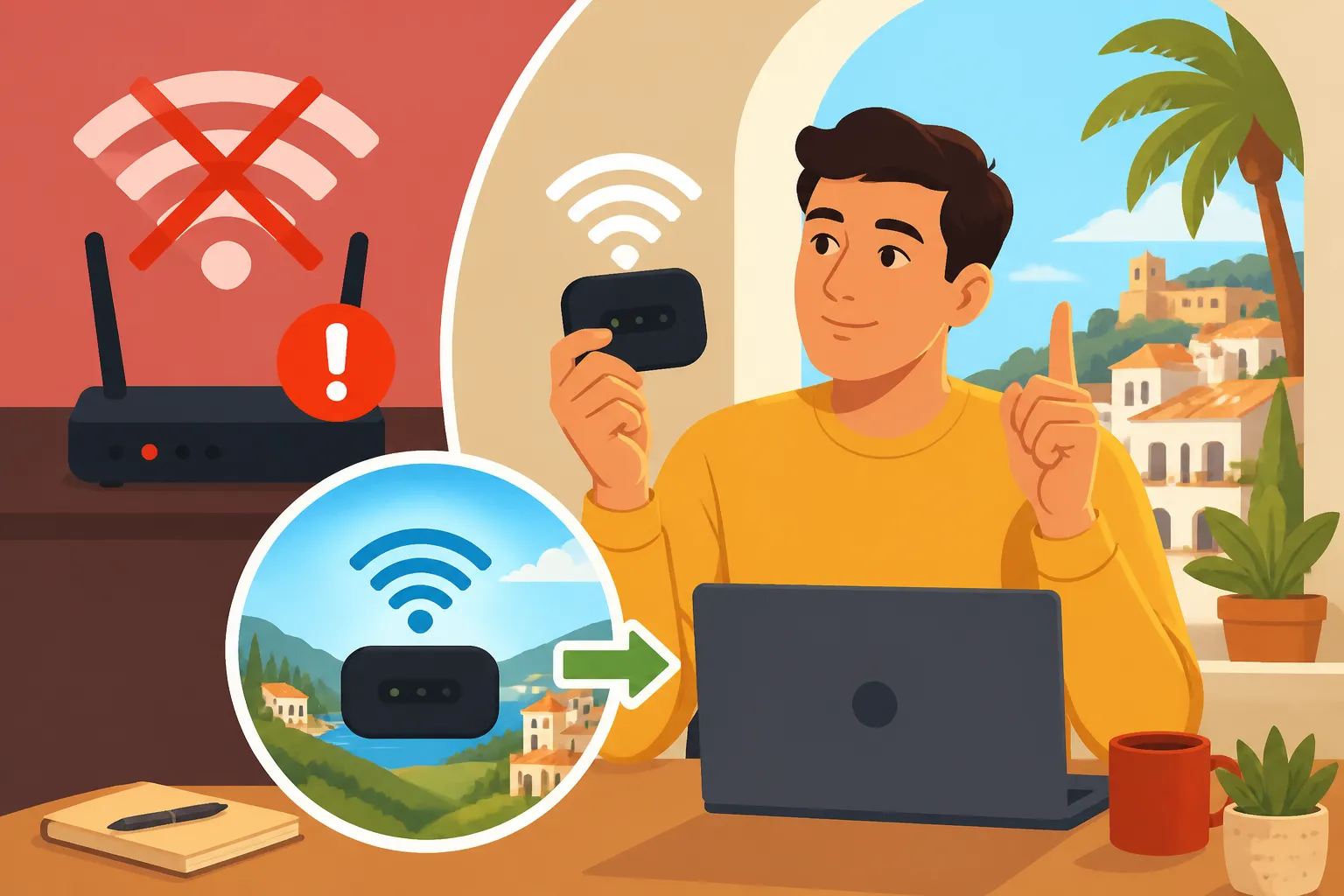
Picture this: You’re deep into an important video call with a client, hitting your stride, when suddenly, the screen freezes. The little Wi-Fi symbol disappears. Your fibre internet, usually so reliable, has decided to pack up and go on strike. For remote workers in Spain, this isn't just an inconvenience; it's a full-blown workday disaster, often accompanied by a rising panic. Don't worry, friend, we've all been there. This guide is going to walk you through the absolute essentials of having a rock-solid backup connectivity plan, highlighting how a clever solution like Airalo can save your bacon when your primary internet connection inevitably decides to take a siesta.
Disclosure: This post may contain affiliate links. We may earn a commission at no extra cost to you if you make a purchase through these links. Read full disclosure.
The Inevitable: Why Your Fibre Internet Will Probably Go Down in Spain
Let's be honest, living in Spain offers so much: the sunshine, the delicious food, the vibrant culture. But when you’re relying on internet connectivity for your livelihood, the romance can quickly fade when your carefully chosen fibre connection decides to pull a disappearing act. It’s not a matter of if it will happen, but when. And when you're a remote worker, every minute of downtime can feel like an eternity.
Common Causes of Outages
Spanish infrastructure, while generally good in major cities, can be a bit… unpredictable. We're talking about a country with diverse geography, from sprawling urban centers to charming, ancient villages, and sometimes, the modern amenities just haven't caught up everywhere.
One of the most frequent culprits for a fibre outage is simply maintenance. Providers like Movistar, Orange, or Vodafone might be upgrading lines or fixing an issue, and suddenly, your building or even your entire neighbourhood is offline. These maintenance windows aren't always communicated effectively in advance, leaving you staring blankly at your router. Then there’s the weather – those dramatic Spanish tormentas (storms), especially in summer, can cause power surges or even physical damage to lines. Remember that time a massive storm hit Valencia and half the city was without power for hours? Yeah, that stuff happens. And let’s not forget the occasional, inexplicable outage – the kind where your provider offers no explanation other than "we are working on it," and you just have to patiently (or impatiently) wait it out. It's a rite of passage for every expat here, really.
The Impact on Remote Work and Your Sanity
When your internet goes down, the impact is immediate and often crippling. You're trying to send that urgent report, collaborate on a shared document, or worse, attend a crucial video meeting. Suddenly, you're cut off. The frustration isn't just about the lost work; it's about the feeling of helplessness, the missed deadlines, and the potential hit to your professional reputation. For many of us, remote work in Spain allows us this incredible lifestyle, but it comes with the unspoken agreement that we remain connected and productive. When that connection snaps, so can a bit of your calm.
Think about it: you’ve meticulously planned your day, perhaps fitting in a quick café con leche before tackling your tasks, only for a blank screen to greet you. It's a unique kind of stress that only remote workers truly understand, especially when you're trying to explain the situation to a client in a different time zone who just expects you to be online. It’s more than just a Wi-Fi problem; it’s a disruption to your livelihood and your carefully constructed expat life. This is why having reliable backup connectivity isn't a luxury; it's an absolute necessity.
Essential Backup Connectivity Options for Remote Workers
When your primary fibre line falters, you need a plan B, and preferably a plan C. Relying solely on your home internet is like putting all your huevos in one basket – a recipe for disaster when that basket decides to spring a leak. Let's explore the most common alternatives you should have in your toolkit.
Mobile Hotspots and Tethering Your Phone as a Lifeline
Your smartphone is often the most immediate and accessible backup plan. Most modern smartphones allow you to create a personal hotspot, turning your device into a mini Wi-Fi router that other devices (like your laptop or tablet) can connect to. This process, often called "tethering," uses your phone's cellular data connection to get your other devices online. It’s incredibly convenient because you likely already have your phone with you and a data plan activated. For those sudden, short outages, it’s a lifesaver.
However, there are significant downsides. Firstly, your phone’s battery will drain fast when acting as a hotspot. You'll need to keep it plugged in, which isn't always feasible. Secondly, the signal strength and speed depend entirely on your mobile network's coverage in your specific location. If your flat is in a spot with poor 4G or 5G reception, your hotspot will be sluggish at best, and useless at worst. Finally, data limits on standard phone plans can be restrictive. A few hours of video calls can quickly chew through a significant chunk of your monthly allowance, leading to unexpected charges or throttled speeds. So, while it's a great quick fix, it's often not a sustainable long-term solution for extensive work. For more on managing your mobile connection, you might want to read up on Mobile Phone Plans in Spain: Prepaid vs Contract for Foreigners.
Dedicated Mobile Broadband Devices MiFi
If you find yourself frequently relying on mobile data for backup, or if your work demands more consistent mobile internet, a dedicated mobile broadband device – often called a MiFi router or mobile Wi-Fi device – might be a worthwhile investment. These small, portable gadgets are essentially standalone hotspots. You insert a physical SIM card (or, as we'll discuss, an eSIM) with a data plan, and it broadcasts a Wi-Fi signal.
The major advantage here is that they often have better antennas than your phone, potentially offering more stable and faster connections, especially if you’re in an area with decent network coverage. They also preserve your phone's battery life, which is a huge bonus. Many devices can connect multiple users simultaneously without much fuss. However, it's yet another device to purchase, set up, and keep charged. You also need a separate data plan for it, which means an additional recurring cost. While many Spanish providers offer data-only SIMs for these devices, they still rely on physical SIMs, which can be a hassle if you travel frequently or need instant access to data in a new location. Think of it as an upgrade from phone tethering, but still with some traditional hurdles.
Exploring Public Wi-Fi as a Last Resort
When all else fails, the trusty public Wi-Fi network can sometimes save the day. Most Spanish cities boast numerous cafes, libraries, and even dedicated coworking spaces with internet access. If you’re truly desperate and your home connectivity is completely kaput, packing up your laptop and heading to your nearest cafetería or public library can be an option.
The pros are obvious: it's often free or cheap (just buy a coffee!), and it gets you back online. Plus, a change of scenery can sometimes spark creativity. However, the cons are equally glaring. Public Wi-Fi is notoriously insecure, making it risky for sensitive work data unless you're using a robust VPN. Speeds can be inconsistent, especially during peak hours, and you'll often be contending with noise and distractions. Finding a suitable spot with a power outlet can be a challenge, and let's not forget the social awkwardness of hogging a table for hours on end, especially in a bustling Spanish cafe. It's a temporary solution at best, and certainly not ideal for privacy-sensitive tasks. For those moments when you simply need to get out and get connected, a Coworking in Spain: How to Choose a Space and Membership might be a better option than a random café.
eSIMs: The Modern Solution for Seamless Connectivity with Airalo
Alright, so we’ve talked about the struggles and the traditional backup options. Now, let’s dive into a real game-changer, especially for us expats and remote workers in Spain who need flexibility and reliability without the hassle: eSIMs. And when it comes to eSIMs, Airalo truly stands out as the hero.
What Exactly is an eSIM and How Does it Work?
An eSIM, or "embedded SIM," is essentially a digital SIM card. Instead of a physical chip that you insert into your phone, the eSIM is built directly into your device’s hardware. This means you can download and activate cellular plans digitally, without ever needing to touch a tiny piece of plastic. It’s like magic, but it’s real technology!
The beauty of an eSIM is its flexibility. Many modern smartphones (and some tablets/laptops) are eSIM compatible, allowing you to store multiple eSIM profiles simultaneously. You can switch between them with a few taps on your screen. Imagine arriving in a new country, or even just needing a backup data plan in Spain, and being able to buy and activate a local data plan instantly from your phone. No more hunting for local SIM card shops, no more fiddling with a tiny SIM tray, and certainly no more worrying about losing your primary physical SIM. It’s a revolutionary step forward in mobile connectivity, making it incredibly convenient for global citizens and anyone needing agile data solutions. This digital approach dramatically simplifies managing your data connection, whether for everyday use or as a crucial backup.
Why Airalo is a Game-Changer for Remote Workers in Spain
Now, this is where Airalo truly shines as the ultimate backup connectivity solution for remote workers in Spain. Let me tell you, having lived here for years, the ability to bypass physical SIMs and instantly get online is a game-changer. Airalo offers eSIMs for virtually every country, including Spain, meaning you can get a local data plan downloaded and activated in minutes.
Why is Airalo the hero here?
- Instant Activation: When your fibre goes down, you don't have time to run to a phone shop. With Airalo, you can purchase a data pack through their app, install it, and be online almost immediately. This speed is priceless in an emergency.
- Local Rates: Airalo provides access to local data plans. This means you’re not paying exorbitant roaming charges when you switch to your backup. You get competitive prices for the data you need, allowing you to manage your Cost of Living in Spain: Realistic Budgets and Savings Tips more effectively.
- Flexibility: Need 1GB for a quick email check? Or 10GB for a day of heavy video calls while your fibre is out? Airalo has various data packages to suit different needs and durations. You only buy what you need, when you need it, making it incredibly cost-effective for backup purposes.
- No Physical Hassle: As mentioned, no physical SIM cards means no fumbling, no losing tiny cards, and no unlocking your phone from your primary carrier if it's locked to a specific network. It’s all digital, seamless, and stress-free.
- Reliable Network Access: Airalo partners with major local networks (like Movistar, Vodafone, Orange in Spain) to provide strong, reliable connectivity. You're getting access to the same robust networks that locals use.
- Peace of Mind: Knowing you have Airalo installed and ready to go offers incredible peace of mind. It transforms a potential day-ruining outage into a minor inconvenience. You can simply switch to your Airalo eSIM, connect your devices, and carry on with your important work. It’s the backup plan that doesn’t feel like a compromise.
For us remote workers, time is money, and Airalo saves both by providing a reliable, flexible, and instantly accessible data solution right from your pocket.
Setting Up Your Airalo eSIM for Instant Backup
Getting your Airalo eSIM ready for action is surprisingly straightforward, which is exactly what you need when you're in a pinch. It’s less complicated than trying to decipher a Spanish utility bill, I promise!
Here’s a simple breakdown of the steps:
- Download the Airalo App: First things first, get the Airalo app on your smartphone. It's available on both iOS and Android. This app is your gateway to global connectivity.
- Browse and Purchase a Spain eSIM: Open the app and search for Spain. You'll see various data packages available – different amounts of data, valid for different durations (e.g., 1GB for 7 days, 5GB for 30 days). Choose one that fits your potential backup needs. For instance, if you anticipate heavy use, a larger package makes sense. Consider purchasing a small, affordable plan even when your fibre is working, just to have it pre-installed and ready.
- Install the eSIM: Once purchased, the app will guide you through the installation process. This usually involves either scanning a QR code or manually entering some details into your phone's cellular settings. Don't worry, it's very intuitive. Your phone will recognize it as a new cellular plan. Make sure to label it clearly, perhaps "Airalo Spain Backup," so you know exactly what it is.
- Activate (When Needed): The beauty is, you don’t have to activate the data plan immediately if your fibre is still working. The plan typically activates when it connects to a supported network in Spain for the first time. So, if your home internet suddenly drops, you simply go into your phone's cellular settings, select the Airalo eSIM as your primary data source, and enable data roaming (don't worry, with Airalo, this doesn't incur extra costs, it just allows it to connect to the partner network). Within seconds, your phone will connect to the local network, and you can then enable your personal hotspot to get your laptop back online.
It's that simple. Having Airalo already installed and topped up means you can transition from "panic mode" to "productive mode" in a matter of minutes, ensuring your remote work in Spain remains uninterrupted.
Choosing the Right Backup Plan: Factors to Consider
Deciding on the best backup connectivity solution for your remote work setup in Spain isn't a one-size-fits-all situation. Your needs might differ vastly from someone else's, so it’s crucial to weigh a few key factors to find your perfect fit. After all, the goal is uninterrupted work, not just any connection.
Data Needs and Usage Patterns
The first thing you need to honestly assess is your data consumption. Are you just occasionally sending emails and browsing light webpages? Or are you constantly on video calls, uploading large files, and streaming high-definition content?
- Light Users (Emails, Chat): If your work primarily involves text-based communication and occasional website visits, a smaller, cheaper data pack (like 1-3 GB from Airalo or your regular phone plan tethering) might suffice for short outages.
- Moderate Users (Regular Calls, Document Editing): If you have a few video calls, shared document collaboration, and moderate browsing, you'll need more. Think 5-10 GB for a few days of backup. Your phone's tethering could work, but a dedicated eSIM from Airalo offers more peace of mind and better rates.
- Heavy Users (Video Conferencing, Large Transfers): For those who live on Zoom, Google Meet, or regularly transfer large design files or video assets, you'll burn through data at an alarming rate. For these situations, a robust Airalo plan with 20GB or more, or a dedicated MiFi device with an unlimited plan (if available and cost-effective), is essential. Remember that many Spanish providers also have data caps, so always check the fine print!
It’s often a good idea to overestimate slightly, rather than run out of data in the middle of a critical task. Running out of data when your fibre is down is like running out of gasolina in the middle of a campo – not fun.
Coverage and Reliability in Your Area
What good is a backup plan if it doesn't actually work where you live or where you might need it? Spain's mobile network coverage is generally excellent, especially in urban areas and along major routes. However, there can be "dead zones" or areas with weaker signals, particularly in more rural settings or inside older, thick-walled buildings common in Spanish cities.
Before committing to any mobile backup plan, do a quick check:
- Test Your Phone: Use your regular smartphone to check 4G/5G signal strength in your home or preferred work spots. Which carrier provides the best signal (Movistar, Orange, Vodafone, Yoigo)? Airalo typically leverages these major networks, so knowing which one is strong in your area can give you confidence.
- Ask Neighbours: If you’re in a new area, chat with local expats or neighbours. They often have the inside scoop on which mobile networks perform best locally.
- Consider a MiFi: As mentioned earlier, dedicated MiFi devices often have better antennas than phones, which can make a difference if you’re on the edge of good coverage. However, the best solution is to ensure your chosen eSIM or SIM card provider (like Airalo, which uses local networks) has good coverage in your specific location. This is crucial if you need to access services like Telemedicine in Spain: When It’s Useful and What to Expect during an outage.
Cost vs. Convenience: Finding Your Sweet Spot
This is where the rubber meets the road. Every backup solution comes with a cost, whether it's direct (data plans, device purchase) or indirect (time wasted, stress).
- Smartphone Tethering: Cheapest initially, as you're using your existing plan. But can become expensive with overage charges or lead to poor performance if your plan isn't robust. Low setup cost, potentially high long-term "hidden" cost.
- Dedicated MiFi: Higher upfront cost for the device, plus a recurring data plan. Good for heavy, consistent mobile use, but less flexible for occasional backup.
- Public Wi-Fi: "Free" with a coffee, but comes with significant security risks and reliability issues. High inconvenience, low direct cost.
- Airalo eSIM: Offers an excellent balance. You pay for data packs as needed, meaning no monthly recurring cost when you don't use it. The ability to activate instantly and switch seamlessly provides immense convenience. The cost per GB is often very competitive, especially when compared to roaming or the frustration of a lost workday. For truly reliable, on-demand backup, Airalo's cost-efficiency and convenience are hard to beat. It’s an investment in peace of mind.
The "sweet spot" is finding a solution that doesn't break the bank but also doesn't leave you stranded. For most remote workers in Spain, a primary fibre line combined with a readily available Airalo eSIM backup offers the best of both worlds.
Practical Tips for Managing Connectivity Crises
Even with the best backup plan, losing your internet connection can be a jarring experience. It’s not just about getting back online, but also about managing the fallout and maintaining your professional composure. Having a clear strategy can turn a potential disaster into a minor hiccup.
Preparation is Key: Before the Outage Hits
Don't wait for the inevitable to strike before you prepare. A little foresight goes a long way, especially when you’re building your life in Spain and learning all the ropes, like dealing with Spain Relocation Checklist: First 30 Days for New Residents.
- Charge Everything: Keep your laptop, phone, and any MiFi devices fully charged. Power outages often coincide with internet outages, so battery life becomes critical. Consider a portable power bank for your phone and other small devices.
- Have an Airalo eSIM Ready: As we’ve discussed, having Airalo installed on your phone with a small data pack pre-purchased or knowing how to quickly buy one is paramount. This means you skip the frantic setup when you’re already stressed. Think of it as your digital escape hatch.
- Identify Offline Tasks: What tasks can you work on without internet? Replying to emails in draft mode, writing reports, organizing files, or doing some deep-focus creative work. Keep a running list of these so you can pivot quickly.
- Inform Your Internet Provider: Know how to contact your fibre provider (Movistar, Orange, Vodafone, MásMóvil, etc.) and have their customer service numbers or app handy. Sometimes they can give an ETA for service restoration. While calling a Spanish customer service line can be an adventure, it's a necessary evil.
- Local Alternatives: Know the nearest reliable public Wi-Fi spots or coworking spaces. If your home backup is also struggling, having a "third layer" plan to head to a cafe or a library is smart.
Staying Productive During Downtime
The internet is down. You've switched to your Airalo eSIM, but maybe it's still a bit slower, or you're conserving data. How do you stay productive and not let the frustration get the better of you?
- Prioritize Critical Tasks: What absolutely must get done online? Focus on those first. If a video call is essential, use your best connection for it. If you can push that large file transfer until later, do it.
- Embrace Offline Work: This is where that list of offline tasks comes in. Use this unexpected downtime to tackle things that don't require an internet connection. It can actually be a blessing in disguise for deep, focused work without distractions.
- Communicate, Communicate, Communicate: This is vital for maintaining professional relationships. Send a quick message to your team or clients via a messaging app (which uses minimal data, often via your Airalo connection) to let them know about the outage and when you expect to be fully back online. Managing expectations is key. Be honest but reassuring.
- Take a Break: Sometimes, the best thing to do is step away. If your internet is out for an extended period and you’ve done what you can offline, take a paseo, grab a café, or run an errand. Coming back with a fresh perspective can make a big difference, and it’s a great way to handle Stress and Culture Shock: Self‑Care Tips for New Expats in Spain.
Communicating with Your Internet Provider
Dealing with Spanish internet providers during an outage can be… an experience. It often involves patience, a few deep breaths, and sometimes a dash of Spanish language skills.
- Check the App/Website First: Many providers (like Movistar and Orange) have apps or websites where you can check for known outages in your area. This can save you a call.
- Call Customer Service: If there’s no public information, call their technical support line (soporte técnico). Have your NIE number, contract details, and the specific model of your router handy. Be prepared to explain the issue clearly. A few key phrases in Spanish can go a long way, even if you’re usually more comfortable in English.
- Be Patient and Persistent: You might be put on hold. You might have to explain the issue multiple times. That’s just how it goes sometimes. Ask for an incident number (número de incidencia) for your reference.
- Manage Expectations: Often, they won’t be able to give you an exact time for restoration. They’ll say "as soon as possible" or "within 24-48 hours." Assume the worst, hope for the best, and be grateful you have a reliable backup like Airalo to keep you going.
By being prepared, managing your workflow strategically, and navigating the customer service maze with a bit of expat resilience, you can minimize the disruption of any internet outage and continue to thrive as a remote worker in Spain.
Comparison of Backup Connectivity Options
| Feature | Smartphone Tethering | Dedicated MiFi Device | Public Wi-Fi | Airalo eSIM (via Smartphone/MiFi) |
|---|---|---|---|---|
| Ease of Setup | Very easy (already on phone) | Moderate (device purchase, SIM activation) | Easy (find hotspot, connect) | Very easy (app download, digital activation) |
| Cost | Free (if within plan), potential overage fees | Upfront device cost, recurring data plan | Often free (cost of coffee/membership) | Pay-as-you-go data packs, no recurring fees when not used |
| Reliability | Dependent on phone signal & battery | Generally good, dedicated antenna, better battery | Variable, often slow & overloaded | Excellent (uses major local networks), highly reliable |
| Data Limits | Limited by phone plan | Varies by plan, can be high/unlimited | Variable (time limits, speed throttling) | Varies by purchased data pack (flexible) |
| Security | Good (private hotspot) | Good (private hotspot) | Poor (public, unencrypted networks) | Good (private connection on established networks) |
| Convenience | High (always with you) | Moderate (extra device to carry/charge) | Low (need to physically move, distractions) | Very High (digital, instant, flexible, in your phone) |
| Best For | Short, unexpected outages | Frequent, heavy mobile data users | Desperate last resort, light browsing | Flexible, on-demand, reliable backup for all usage types |
Disclaimer
The information provided in this article is intended for general guidance and informational purposes only. While we strive to offer accurate and up-to-date advice for expats in Spain, telecommunications policies, pricing, and infrastructure can change rapidly. We recommend verifying specific details with your chosen service providers or a local expert. The author and publisher are not responsible for any decisions made based on this information.